
HDC Handbook
QuickStart
HDC is chess inside an 8×8×8 cube. Eight layers are stacked like floors. The game remains chess: the goal is still checkmate.
This page gets you into the game quickly. After that, you can use the rest of the handbook to look up details.
Goal
The goal is the same as in classical chess:
- checkmate the opposing king
- answer check immediately
If your king is in check, you must respond at once. As usual, the basic ways are:
- move away
- block
- capture the attacking piece
Controls in 10 seconds
All moves are made on the 2D board.
- Choose a layer
- Select a piece on the 2D board
- the app shows legal targets
- tap the target square
- done
If a target lies on another layer:
- switch to that layer
- look for the marker there
- tap the target there
Remember The 3D cube helps you think spatially. Actual moves are always made on the 2D board.
The first move in images
The images show the practical flow: select a piece in the BoardView, read the markers, and then click or tap the target square in the BoardView. The CubeView helps with spatial checking, but it is not the move input area.
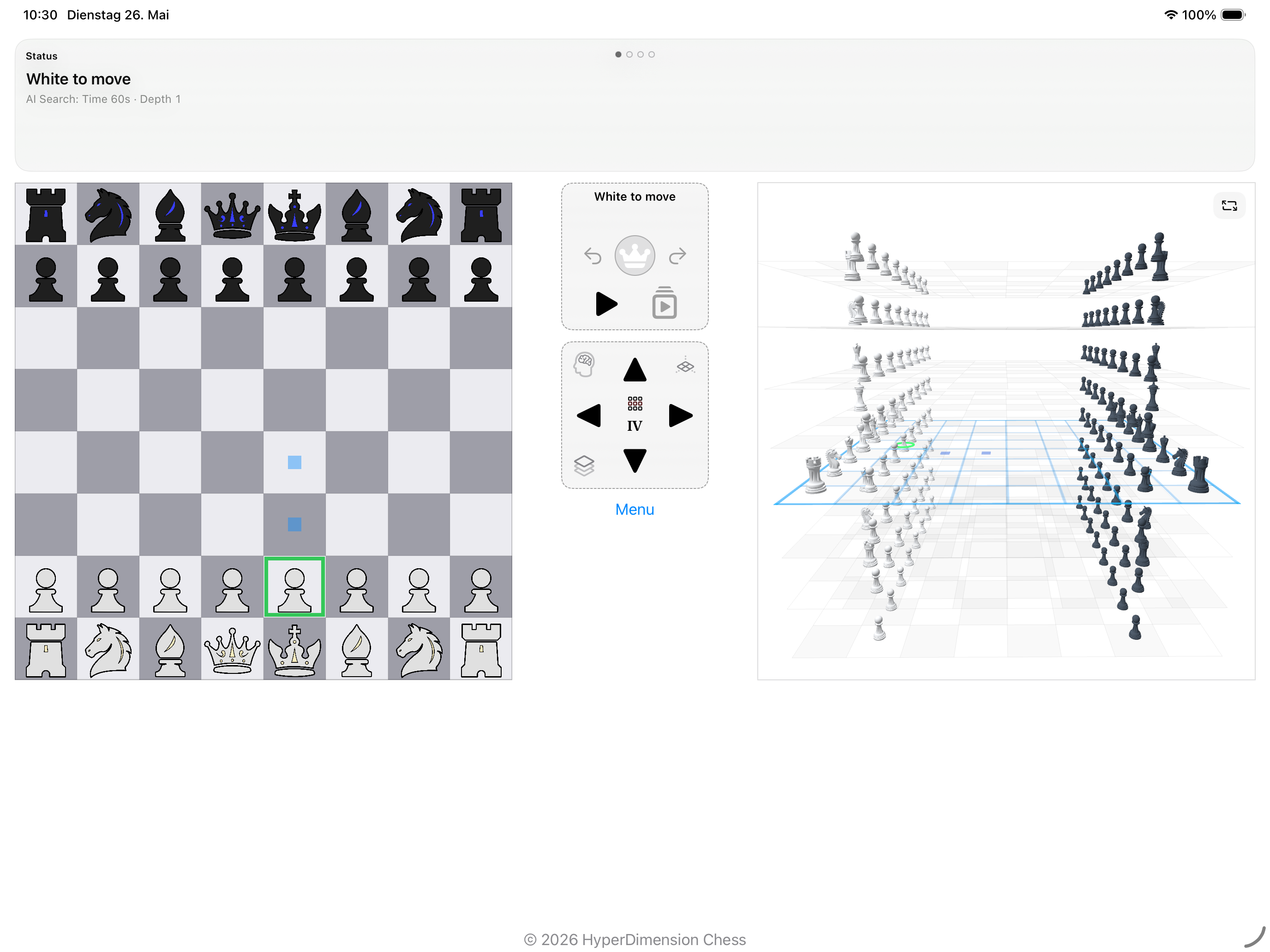
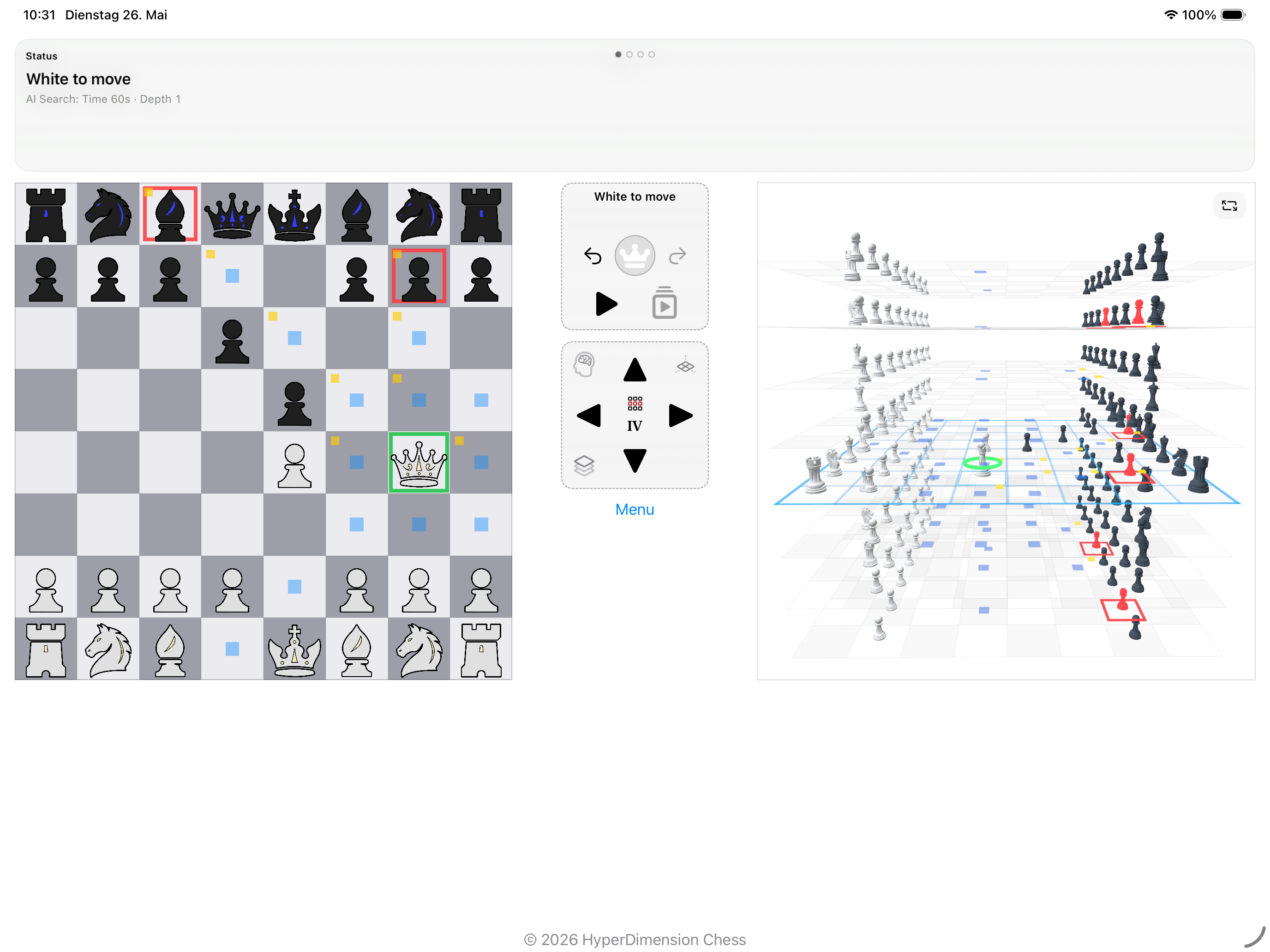
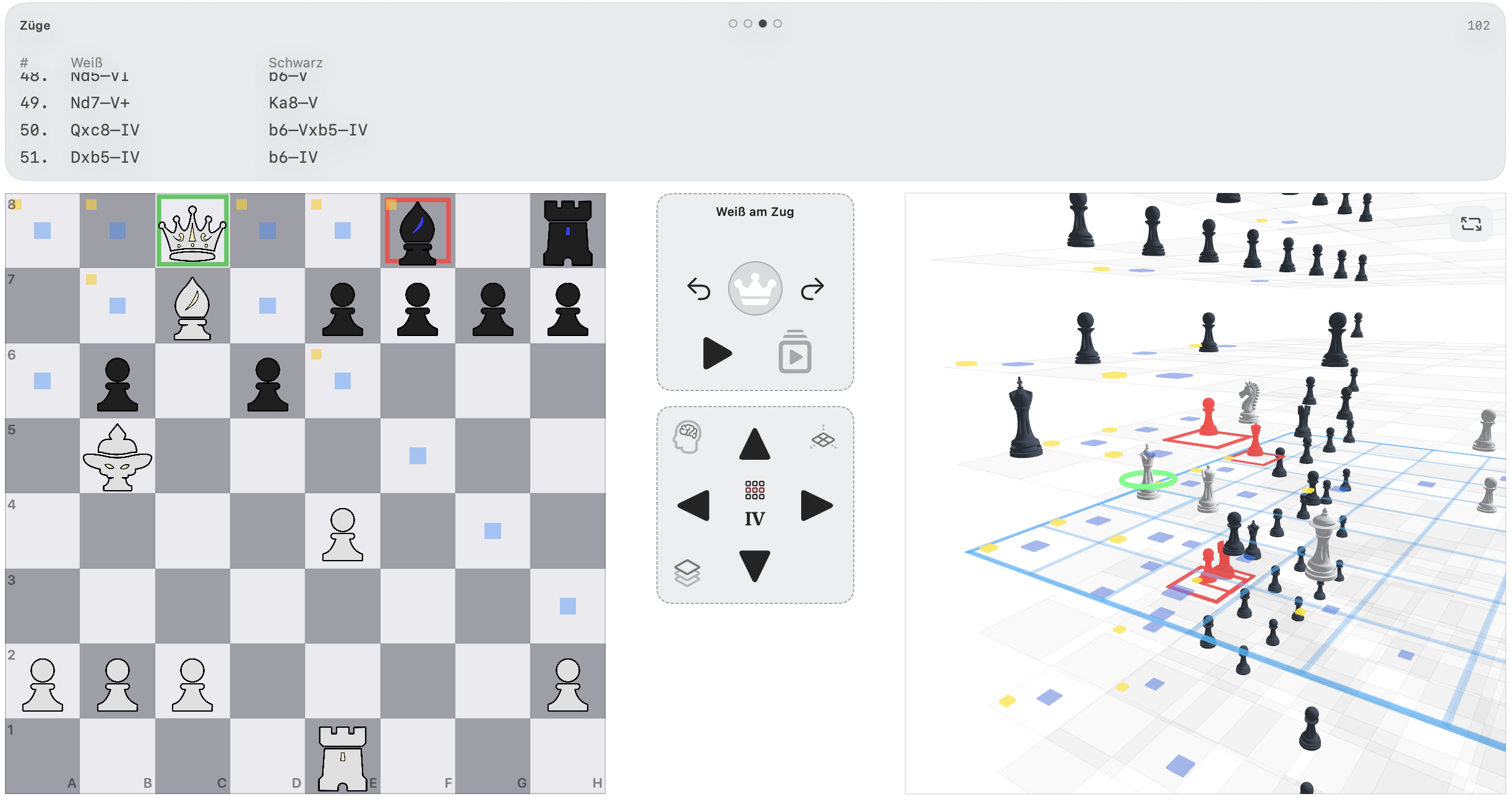
What you see on screen
LayerView
This is the 2D board of one layer. This is where you make moves.
CubeView
This is the 3D view of the full cube. It helps you see space, layers, and relationships.
ControlPad
Used to switch views or layers.
GamePad
Contains important game actions, such as undo and other key controls.
InfoPad
Shows status, messages, move list, and other information.
What is new in HDC
1. The Duke
The Duke is the new key piece in HDC.
It moves:
- straight along X, Y, and Z
- diagonally in the XY, XZ, and YZ planes
- not along true space diagonals
That makes it powerful, readable, and very useful for building pressure and controlling space.
2. Pawns can capture with a layer change
Pawns move forward on the same layer. Captures are more interesting:
- classical diagonal-forward captures on the same layer
- additional diagonal-forward captures one layer up or down
This changes pawn structure and creates surprising tactics.
3. Attacks do not come only from left and right
In HDC, danger also often comes:
- from above
- from below
- from another layer
- along new spatial lines
The first three thinking rules
Think in layers
Do not think only in file and rank. Also ask:
- what happens one layer above?
- what happens one layer below?
Protect the king early
In HDC more lines open up. Unsafe king positions become dangerous sooner.
Use the Duke actively
The Duke is ideal for:
- controlling space
- building pressure
- helping the queen
- preparing open lines
Special rules in short
HDC also includes:
- castling
- en passant
- promotion
The details are adapted to 3D space. You can find them in Special Rules.
Common beginner mistakes
- thinking only on the current layer
- treating the 3D cube as a move input area
- treating pawns only like classical pawns
- using the Duke too passively
- seeing only sideways attacks and missing vertical ones
Mini FAQ
Do I always have to switch layers?
Not on every move, but often when checking options and threats.
Can I move directly in the 3D cube?
No. The 3D cube is for overview. Moves are made on the 2D board.
Is the Duke stronger than a bishop?
Yes, clearly. It controls many more directions and is a major pressure piece.
Are HDC pawns hard to learn?
They feel unusual at first, but the logic is clear: move forward on the same layer, capture diagonally forward — also with a layer change.